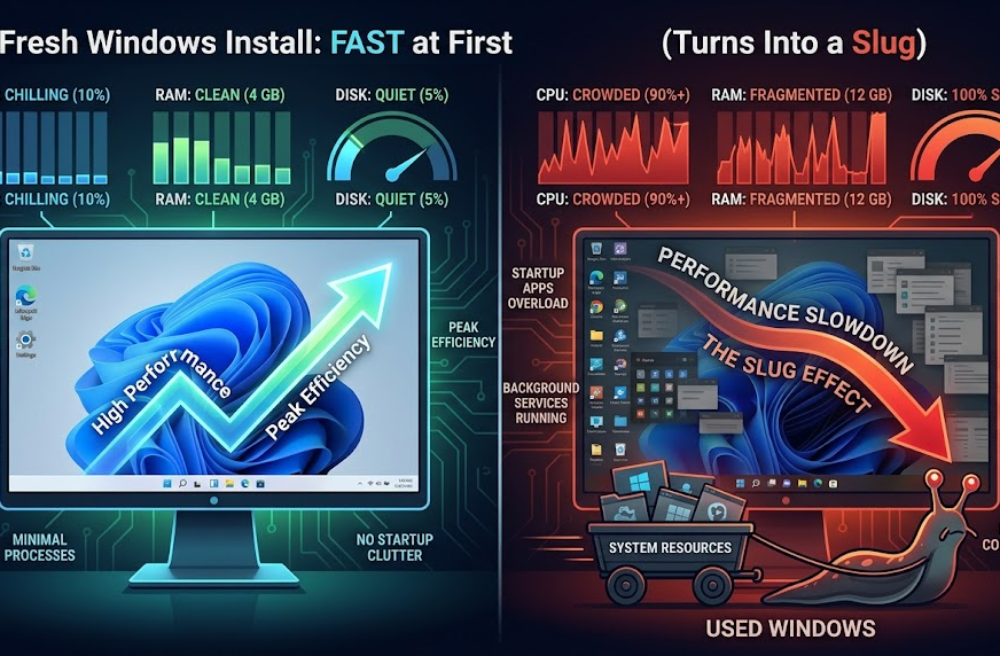
Fresh Windows feels fast because nothing is fighting yet.
Give it a week and suddenly your system feels like it’s dragging through mud for no obvious reason.
Nothing changed, right?
Yeah… everything changed.
What actually happens after a fresh install
When you install Windows, it’s basically empty. No third-party junk, minimal services, barely any scheduled tasks.
CPU is chilling. Disk is quiet. RAM isn’t fragmented across 50 processes doing useless background work.
Then real usage starts.
You install Chrome, Discord, Unity, random tools, drivers, launchers. Each one quietly adds:
- startup entries
- background services
- scheduled tasks
- update agents that never shut up
Individually? harmless.
Together? slow death.
Windows doesn’t degrade magically. It gets crowded.
The silent killers nobody pays attention to
Startup apps are the obvious one. Everyone knows that.
But the real mess is background persistence.
Stuff that doesn’t show in startup still runs:
- update checkers every few minutes
- telemetry collectors
- sync services
- driver helpers
You close the app, it doesn’t matter. Half of them stay alive anyway.
And now your CPU is constantly context switching between junk tasks.
That’s where the smoothness dies.
Not raw power. Scheduling overhead.
Disk usage is where things get ugly
Fresh install = clean disk, no fragmentation, no indexing backlog.
After some time:
- Windows Search starts indexing everything
- Defender scans randomly when you’re working
- apps read/write logs constantly
- temp files explode silently
If you’ve ever seen disk stuck at 100 percent while doing nothing, this is why.
It’s not one thing. It’s 10 small things hitting the disk at once.
SSDs hide it better, but it’s still there.
Memory pressure creeps in slowly
At first you’ve got free RAM everywhere.
Then apps start reserving memory even when idle. Electron apps are the worst offenders.
Now your system isn’t out of RAM… but it’s not comfortable either.
So Windows starts compressing memory, paging a bit, juggling allocations.
You don’t notice it directly. You feel it as micro-stutter.
That random lag when switching tabs or opening a menu? yeah, that.
What actually fixes it (not the fake tips)
People love saying clean your registry.
Useless.
Registry size is not your problem unless you’re doing something cursed.
What actually matters:
Kill startup garbage
Open Task Manager → Startup → disable anything non-critical
Remove apps that install background services
If uninstalling something changes nothing, it was never passive
Check what’s actually running
tasklist or just Task Manager, look for stuff eating CPU when idle
Limit always-on apps
Discord, launchers, overlays… they stack fast
Keep projects and heavy tools on SSD
Disk latency matters more than people admit
And yeah, sometimes a clean reinstall is faster than fixing a bloated system.
Not because Windows is bad.
Because your setup became messy.
Stuff devs run into specifically
Game dev setups get hit harder.
Unity + Android tools + emulators + browsers + asset pipelines…
You basically create a background process farm without realizing it.
I’ve had Unity builds stutter not because of Unity, but because something like a launcher updater decided now is a great time to hit disk.
You don’t see it unless you check.
The real reason it feels worse over time
It’s not just load. It’s unpredictability.
Fresh system = consistent performance
Used system = random spikes
That randomness kills the feeling of speed more than raw slowdown.
One second it’s smooth, next second something invisible steals resources and everything hiccups.
That’s what people call Windows getting slow.
It’s not slow.
It’s crowded and chaotic.